 Steff
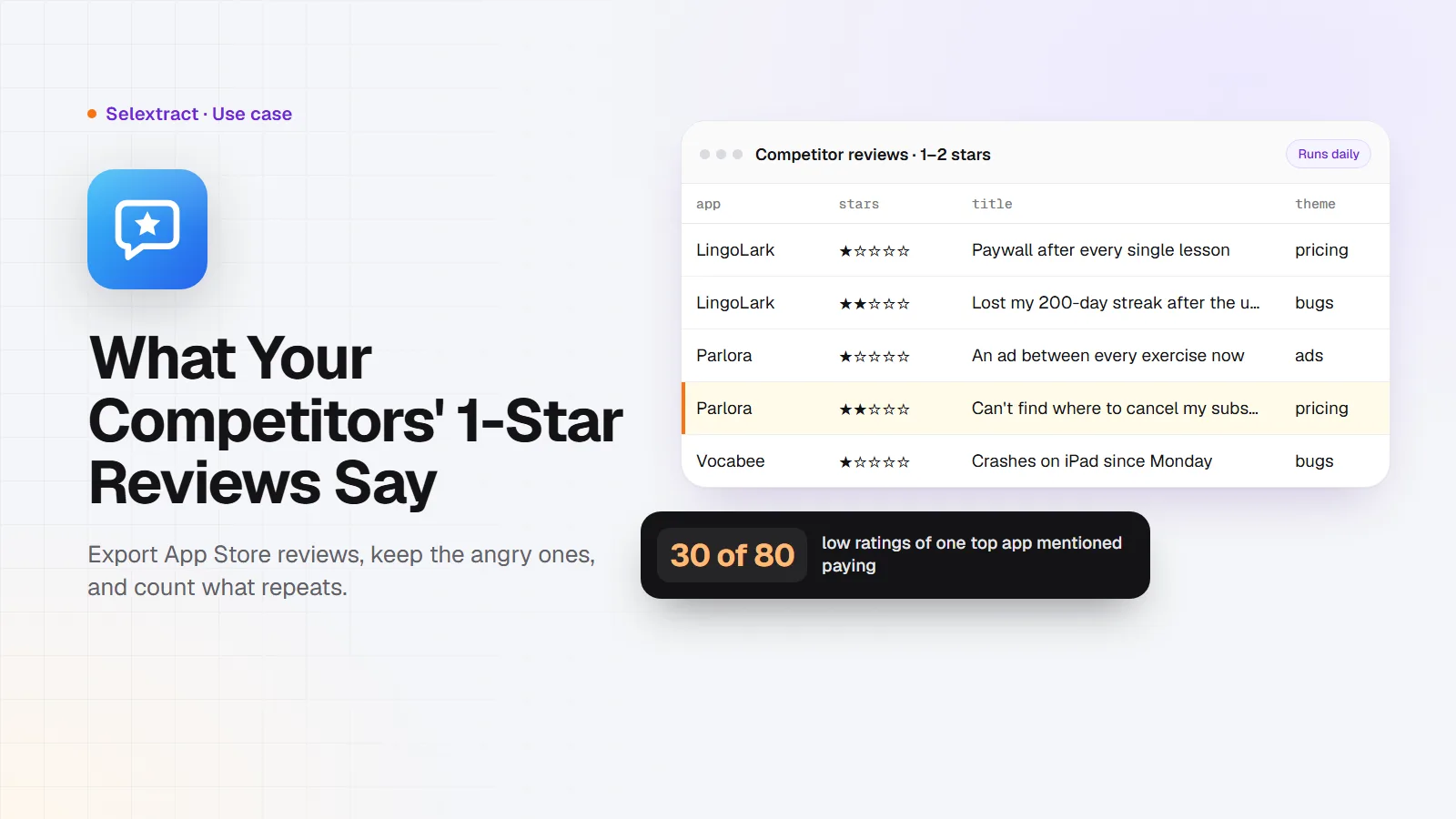
Your competitors' 1-star reviews are a free list of things their users want and don't get. You can export the newest App Store reviews of any iPhone app into a spreadsheet, keep only the 1- and 2-star ones, and count which complaints come up again and again. The ones that repeat are your roadmap, or at least your sales pitch.
This post shows how to do it in an afternoon and keep it running every day.
What you need
- Three to five competing apps. Copy their App Store links, or just the number after
idin the link. - A Selextract account. The App Store Reviews Scraper is ready-made, so there's nothing to build. Runs don't use AI; they run the same tested code every time.
- A spreadsheet: Google Sheets or Excel.
Step 1: Pull the complaints
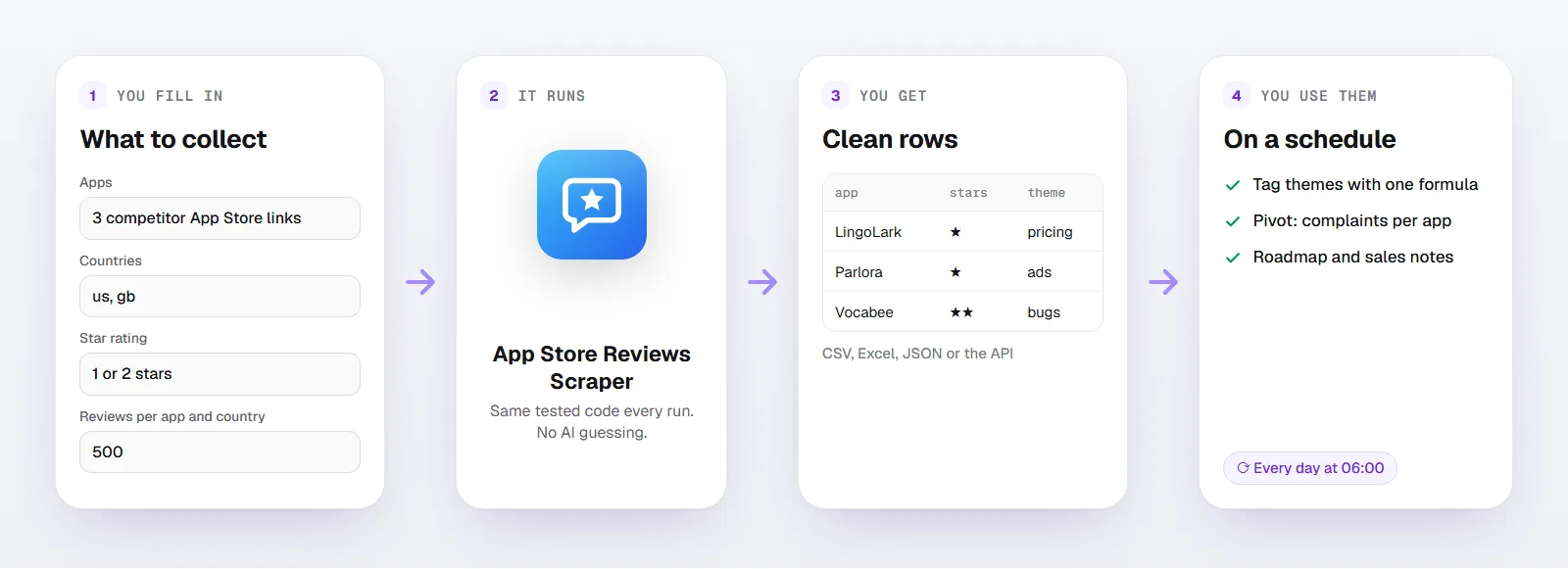
Open the scraper and fill in:
- Apps: the links or IDs of the apps, up to five
- Countries:
us, or the countries where you compete, up to three - Star rating: 1 or 2 stars
- Reviews per app and country:
500
You get one row per review:
| Column | What it holds |
|---|---|
app_name, app_id, app_url |
The app |
country |
The App Store country the review comes from |
rating |
Stars, from 1 to 5 |
title, review |
The review's title and text |
app_version |
The app version the reviewer used |
reviewed_at |
When the review was written, with time zone |
helpful_votes |
How many people marked the review as helpful |
review_id |
Apple's ID for the review |
Here's what a few rows look like. The apps are made up; the columns and formats are the real ones:
app_name |
country |
rating |
title |
app_version |
reviewed_at |
|---|---|---|---|---|---|
| LingoLark | us | 1 | Paywall after every single lesson | 7.12.0 | 2026-11-03T21:14:09-07 |
| Parlora | gb | 2 | Can't find where to cancel my subscription | 3.4.1 | 2026-11-03T18:02:51-07 |
| Vocabee | us | 1 | Crashes on iPad since Monday | 2.9.0 | 2026-11-03T09:47:30-07 |
Download the results as CSV or Excel, or export them to Google Sheets.
Step 2: Tag each review with a theme
Read twenty reviews first and write down the complaints you see, in a few words each: pricing, ads, bugs, login, missing feature, support. Then let a formula tag the rest. In Google Sheets, with the review column in column G (change the letter to match your file):
=IFS(
  REGEXMATCH(LOWER(G2), "subscri|price|pay|expensive"), "pricing",
  REGEXMATCH(LOWER(G2), "\bads?\b|advert"), "ads",
  REGEXMATCH(LOWER(G2), "crash|bug|freez|won't load"), "bugs",
  TRUE, "other"
)
Adjust the words to the complaints in your market. Reviews tagged "other" are worth reading by hand; new problems hide there.
Step 3: Count themes per app
Make a pivot table with app_name as rows, your theme column as columns and the count of review_id as values. Now you can say things like "a third of the angry reviews of App A are about pricing", which is far more useful in a planning meeting than "people seem unhappy".
Sort by helpful_votes to find the complaints other users agree with. A review with 40 helpful votes speaks for more than one person.
What 500 reviews of one app look like
To show what the data looks like, I pulled the newest 500 United States reviews of Duolingo, one of the most reviewed apps in the store, in early November 2026:
- All 500 reviews were written in about two days, from November 1 to November 3. For a popular app, Apple's limit of 500 reviews per country covers only a short window.
- 80 of the 500 (16%) gave 1 or 2 stars. Most reviews were 5 stars (317).
- 30 of those 80 low ratings mentioned paying: the subscription, prices or the paid plans. Ads came up in 10, the streak in 8.
So for Duolingo, the loudest complaint in that window was about money, not the lessons. If you were building a language app, that tells you where a competitor is vulnerable.
Step 4: Run it every day
Because Apple shows only the newest 500 reviews per country, popular apps need a daily run to keep a full history. Your run is saved as a task in your account: give it a daily schedule and every run adds the latest reviews. Remove repeats by review_id when you combine runs.
For smaller apps, 500 reviews can reach back months, so a weekly run is enough.
Track your own app the same way. When a release goes wrong, the 1-star reviews tell you within a day, along with the app_version that caused it.
If you'd rather work in code, you can start runs and fetch results through the API, or connect Selextract to an AI assistant through MCP and ask it to summarize the week's complaints.
FAQ
Is there an App Store reviews API?
Apple's App Store Connect API gives you the reviews of your own apps. For other apps, Apple publishes a public feed of the newest reviews per country, and this scraper reads it. You don't need an Apple developer account.
How many reviews can I get?
Up to 500 per app and country: the newest ones. Apple doesn't show older reviews in its public feed.
Can I get reviews from several countries?
Yes, up to three per run, with two-letter codes like us, gb or de. Each country has its own reviews, often in its own language.
Does it include reviewer names?
No. You get the rating, title, text, version, date and helpful votes, which is what you need to understand the complaints.
What about Google Play reviews?
This scraper covers the App Store only.
Good to know
- Each run takes up to five apps and three countries.
- The star rating filter is applied to the newest 500 reviews, so you can get fewer reviews than you asked for.
- Runs use your own Selextract credit.