 Steff
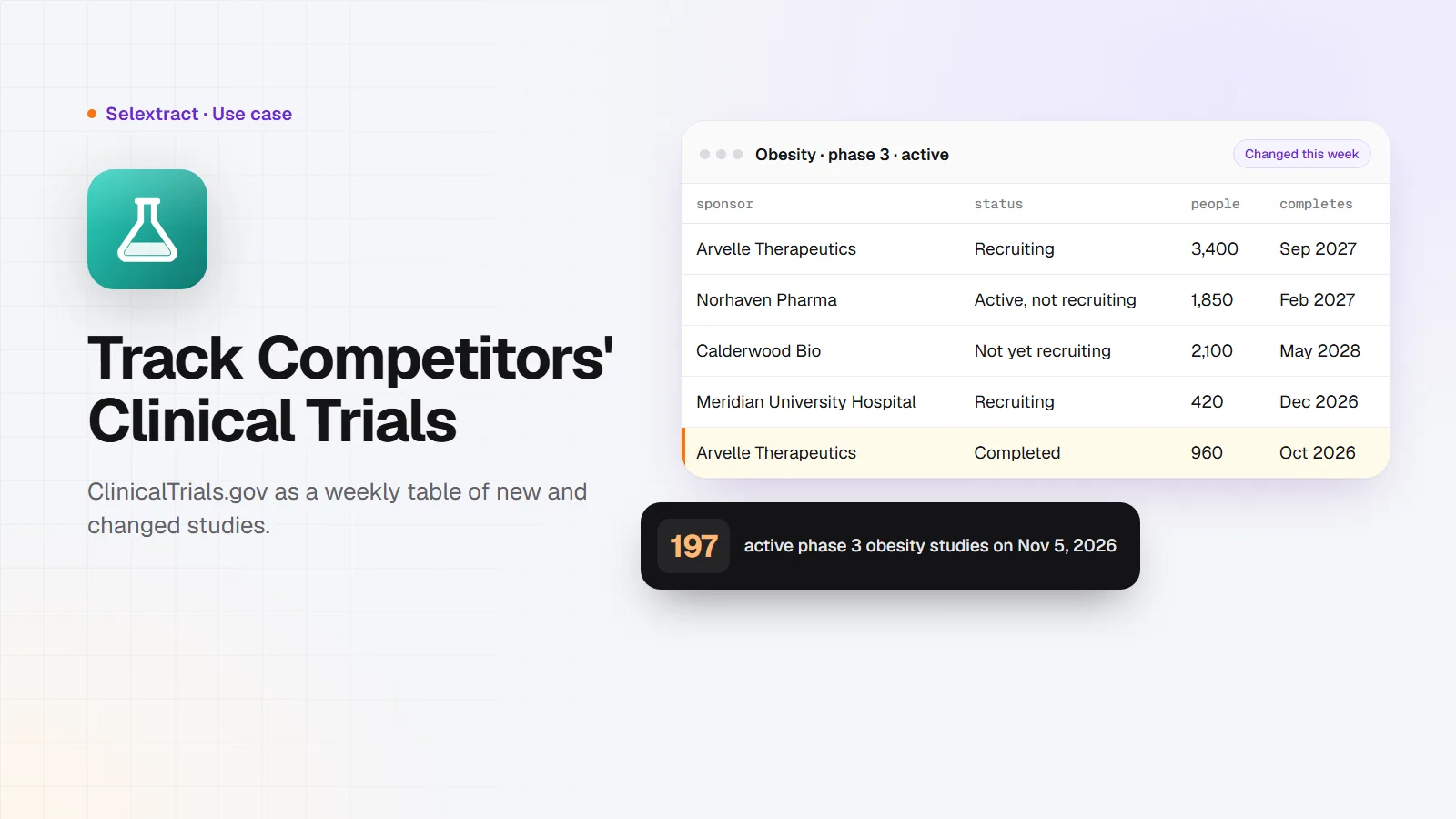
ClinicalTrials.gov lists almost every clinical study run in the US and many run elsewhere, with its sponsor, phase, status, enrollment and sites. That makes it the best public map of who is developing what. You can search it on the website, but tracking a market means running the same searches every week and spotting what changed. This post shows how to get the results as a table, keep it up to date, and read a market from it, using obesity as the example.
What you need
- A question about a market, such as "who is running phase 3 obesity studies, and where?"
- A Selextract account. The ClinicalTrials.gov Scraper is ready-made, so there's nothing to build. Runs don't use AI; they run the same tested code every time.
- A spreadsheet: Google Sheets or Excel.
Step 1: Search the studies you care about
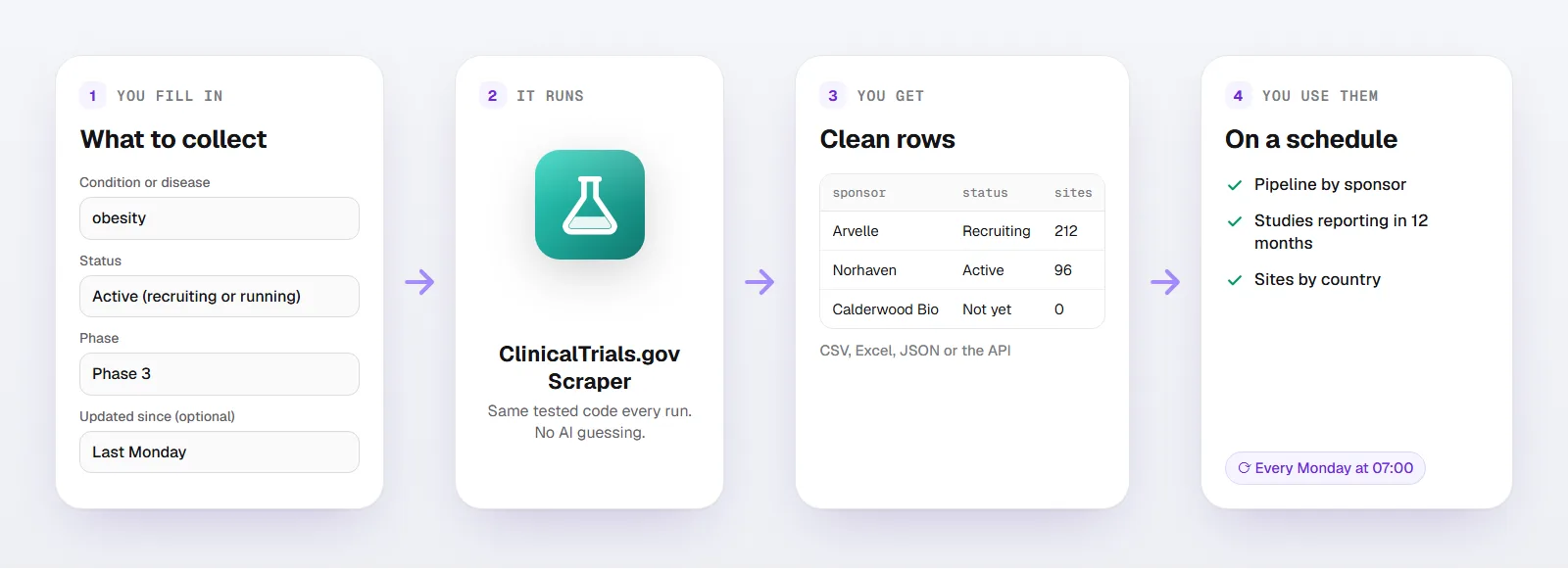
Open the scraper and fill in what defines your market:
- Condition or disease:
obesity - Status: Active (recruiting or running)
- Phase: Phase 3
- Number of studies:
1000
You can also search by Other terms (optional), such as a drug name, and by Sponsor (optional), such as a competitor. Location (optional) keeps studies with a site in a country, state or city.
You get one row per study:
| Column | What it holds |
|---|---|
nct_id, url |
The study's number and its page on ClinicalTrials.gov |
title, official_title |
The short and full titles |
status, phases, study_type |
Where the study stands |
conditions, interventions |
What it studies, and the drugs or treatments it tests |
sponsor, collaborators |
Who runs and funds it |
enrollment |
How many participants it plans or has |
start_date, primary_completion_date, completion_date |
The timeline |
first_posted, last_updated |
When it was registered and last changed |
countries, sites |
Where it runs, and how many sites it has |
Here's what a few rows look like. The studies and sponsors are made up; the columns and formats are the real ones:
title |
sponsor |
status |
phases |
enrollment |
primary_completion_date |
|---|---|---|---|---|---|
| A Study of AR-221 in Adults With Obesity | Arvelle Therapeutics | RECRUITING | PHASE3 | 3400 | 2027-09 |
| Weekly NH-7 Injection for Weight Management | Norhaven Pharma | ACTIVE_NOT_RECRUITING | PHASE3 | 1850 | 2027-02 |
| Oral CB-104 Versus Placebo in Obesity | Calderwood Bio | NOT_YET_RECRUITING | PHASE3 | 2100 | 2028-05 |
What the obesity market looks like
On November 5, 2026, ClinicalTrials.gov had 197 active phase 3 obesity studies. Grouped by lead sponsor:
| Sponsor | Studies | Planned participants |
|---|---|---|
| Eli Lilly and Company | 35 | 54,746 |
| Novo Nordisk | 25 | 30,320 |
| Amgen | 12 | 29,573 |
| Pfizer | 11 | 8,651 |
| Roche | 6 | 10,900 |
| AstraZeneca | 5 | 9,351 |
A few more things the table showed:
- 152 of the 197 (77%) were sponsored by companies. The rest came from other sponsors, such as universities and hospitals.
- 114 (58%) were first posted in the last 12 months. This market is moving fast; a list from last year misses most of it.
- The most tested drugs were semaglutide (24 studies), tirzepatide (20), orforglipron (13) and maridebart cafraglutide (12).
- The United States had sites in 119 studies, followed by China (77), Germany (54), Canada (51), Poland (49) and Spain (48).
That's a one-page market overview from a single search. Swap the condition and you have one for your market.
Step 2: Read it like an analyst
Three pivot tables answer most questions:
- Who leads:
sponsorby count ofnct_idand sum ofenrollment. Participant numbers show who's betting biggest. - What's coming: filter
primary_completion_dateto the next 12 months. Those studies will report results soon. - Where it runs: count studies per country. If you run sites, recruit patients or sell to trial teams, that's where the work is.
Step 3: Catch every change
Your run is saved as a task in your account. Schedule it every Monday with Updated since set to the previous Monday. Each run returns only the studies that were added or changed that week: a new competitor study, a status change from recruiting to completed, a new country, a later completion date.
Study teams update their records as the study changes, so a weekly list of changes is an early warning system for your market.
Who uses this
- Pharma and biotech strategy teams: track competitors' pipelines without searching by hand.
- Clinical research organizations and site networks: find sponsors starting studies in your countries.
- Medtech and service companies: know which studies need the devices, labs or software you sell.
- Investors and analysts: see how a market is shifting, one registered study at a time.
FAQ
Is there a ClinicalTrials.gov API?
Yes. ClinicalTrials.gov, run by the US National Library of Medicine, has a free public API, and this scraper uses it. The scraper adds the search form, the paging and a clean table, so you don't have to write code.
Can't I download results from the website?
You can, for one search at a time. The scraper is for repeating that search on a schedule, only getting what changed, and sending the rows to a spreadsheet or your own systems through the API.
Does it include contact details?
No. Study contacts and investigator names aren't included.
How current is the data?
As current as ClinicalTrials.gov. Each run reads the registry live.
Good to know
- Each run returns up to 1,000 studies.
- Fill in at least one of Condition or disease, Other terms (optional) or Sponsor (optional).
- Runs use your own Selextract credit.