 Steff
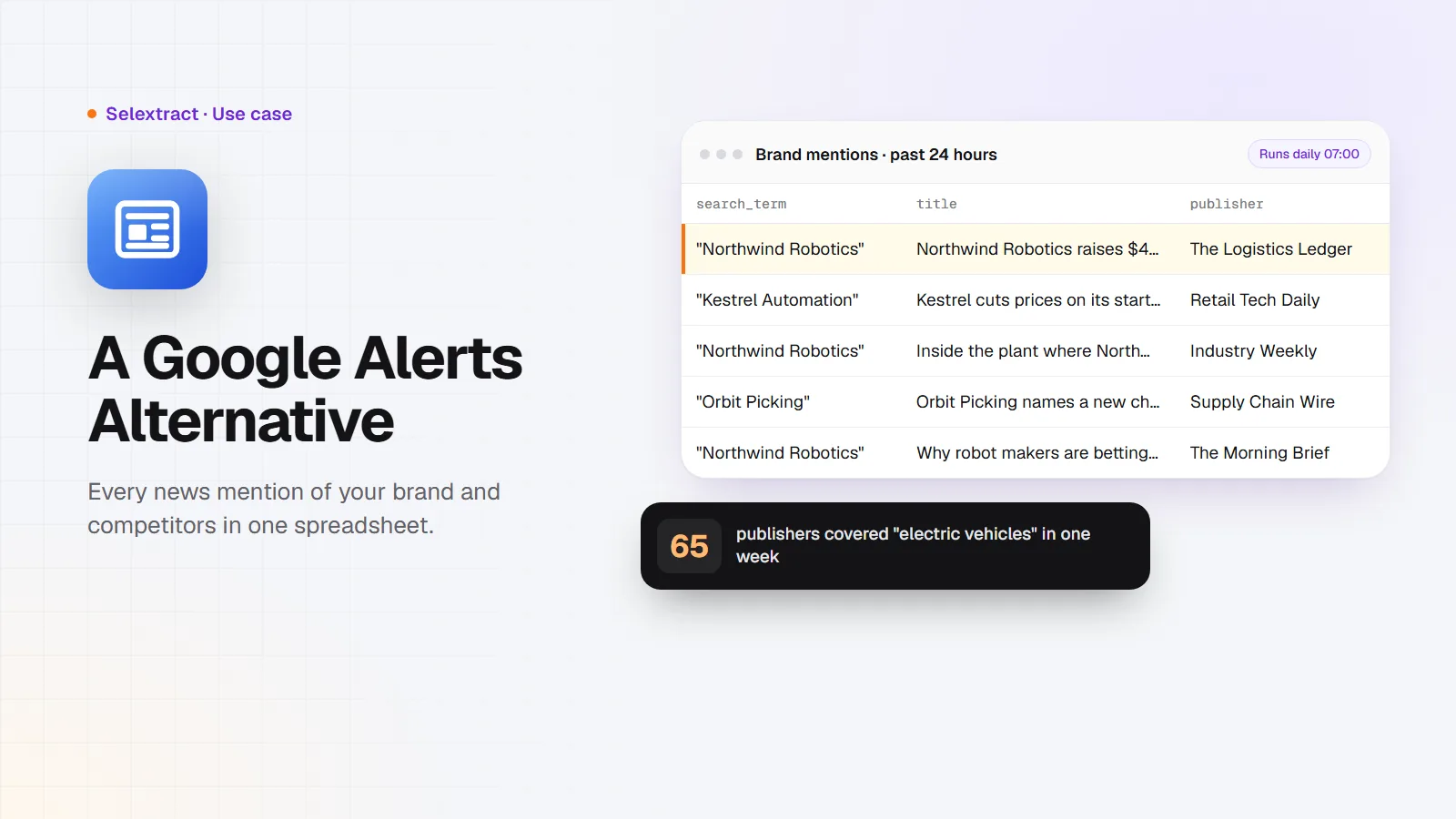
Google News has no official API, and Google Alerts only emails you links one at a time. If you want every article about your brand or your competitors in one table that you can count, sort and share, you can pull Google News search results into a spreadsheet instead. This post shows how, and how to repeat it every day without lifting a finger.
What you need
- A short list of names to watch: your company, your product, two or three competitors, maybe a topic you want to own.
- A Selextract account. The Google News Scraper is ready-made, so there's nothing to build. Runs don't use AI; they run the same tested code every time.
- A spreadsheet: Google Sheets or Excel.
Step 1: Write search terms that find the right articles
Each search term works like a search on Google News. A few habits make the results cleaner:
- Put names in quotes.
"Acme Robotics"finds that exact name. Without quotes you also get articles that mention "Acme" and "robotics" separately. - Add a word when a name is common. If your company shares its name with a town or a band, add what you do:
"Acme" robotics. - Use one search term per name. Then you can compare them later, because every row tells you which term found it.
Step 2: Run it
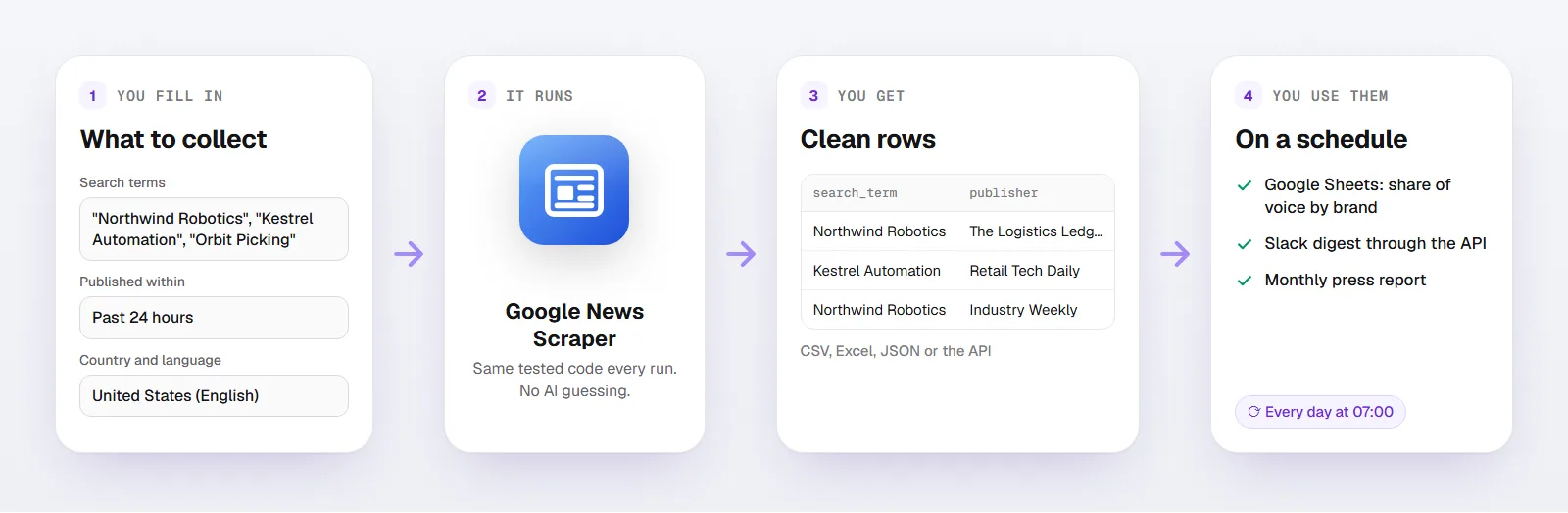
Open the scraper and fill in:
- Search terms: up to five, for example
"Acme Robotics","Rival One","Rival Two" - Published within: Past week
- Country and language: the edition your customers read, like United States (English) or Germany (German)
- Articles per search term:
100
You get one row per article:
| Column | What it holds |
|---|---|
search_term |
The search term that found the article |
title |
The headline |
publisher, publisher_url |
Who published it and their website |
published_at |
When it was published, with time zone |
url |
The link to the article, through Google News |
edition |
The Google News edition you searched |
collected_at |
When the run collected the row |
Here's what a few rows look like. The companies and publishers are made up; the columns and formats are the real ones:
search_term |
title |
publisher |
published_at |
|---|---|---|---|
| "Northwind Robotics" | Northwind Robotics raises $40M to scale warehouse picking | The Logistics Ledger | 2026-11-04T08:12.000Z |
| "Kestrel Automation" | Kestrel cuts prices on its starter plan | Retail Tech Daily | 2026-11-04T09:40.000Z |
| "Orbit Picking" | Orbit Picking names a new chief financial officer | Supply Chain Wire | 2026-11-04T13:22.000Z |
Download the results as CSV or Excel, or export them to Google Sheets.
Step 3: Turn the rows into a report
Three numbers answer most of the questions people ask about press coverage:
- Share of voice. Count articles per search term with a pivot table:
search_termas rows, the count ofurlas values. If your competitor gets 40 articles a week and you get 6, you know where you stand. - Who writes about you. A pivot on
publishershows which outlets cover your space. Those are the journalists to pitch next time you have news. - Spikes. Group
published_atby day. A sudden jump usually means a launch, a funding round or a problem, and the headlines tell you which.
What one week of news looks like
I ran three searches for the past week in the United States edition, in early November 2026:
| Search term | Articles | Different publishers |
|---|---|---|
electric vehicles |
100 | 65 |
"Duolingo" |
100 | 41 |
"web scraping" |
9 | 9 |
Two things stand out. First, a broad topic easily hits the 100-article limit in a single week, so for busy names, run the scraper daily with Published within set to Past 24 hours. Second, a named brand like Duolingo was covered by 41 different publishers in seven days. Reading that in email alerts would be a chore; in a table it takes a minute.
Step 4: Run it every day
Your run is saved as a task in your account. Give it a daily schedule with Published within set to Past 24 hours, and each run collects the previous day's articles. Over a few weeks you build your own archive of coverage, which Google Alerts never gives you.
Two tips for daily runs:
- Remove repeats by
url. An article can show up in two runs if it was published near the cutoff. - Keep the search terms stable. Comparisons only work when you count the same thing every day.
If you'd rather work in code, you can start runs and fetch results through the API, or connect Selextract to an AI assistant through MCP and ask it for this week's coverage.
FAQ
Is there a Google News API?
No. Google retired its News API years ago. Google News still offers a public search feed, and this scraper turns that feed into rows.
How is this different from Google Alerts?
Google Alerts sends you links by email as it finds them. The scraper gives you a table: every article with its publisher and time, for several names at once, ready to count and compare. You can also search any past period Google News still covers, not only what's new.
How many articles can I get?
Up to 100 per search term per run, and up to five search terms per run. Google News itself returns at most 100 results for a search, so for busy topics, run the scraper daily.
Does it include the full article text?
No. You get the headline, publisher, time and link. Open the link to read the article on the publisher's site.
Can I monitor news in other countries?
Yes. Pick the country and language under Country and language. Each edition has its own sources, so the same name can return different articles in Germany and in the United States.
Good to know
- Each run takes up to five search terms and returns up to 100 articles per term.
- Links open through Google News, which forwards you to the publisher.
- Runs use your own Selextract credit.