 Steff
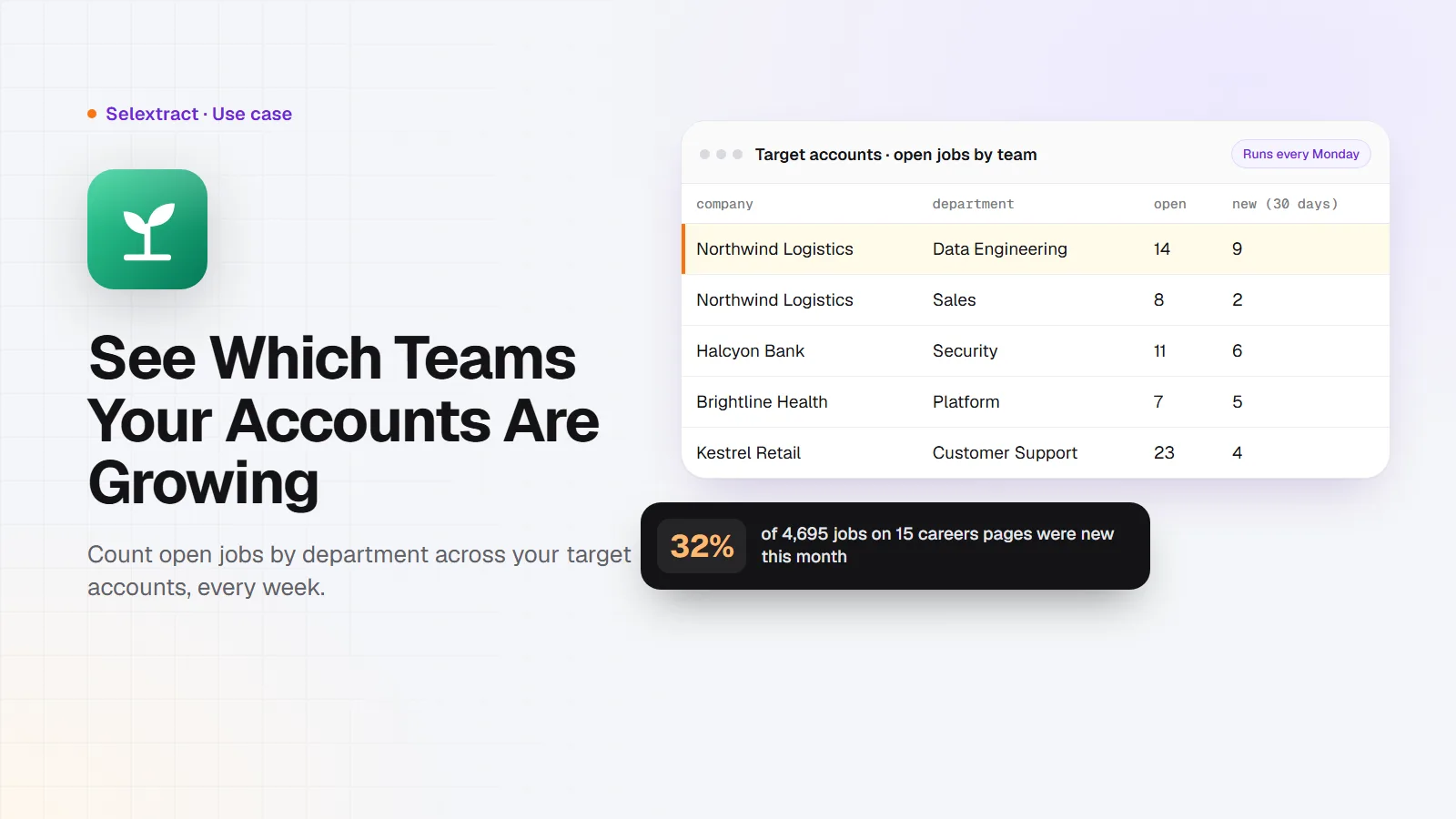
A company's careers page tells you where it's putting its money next. Count its open jobs by department and you can see which teams it's growing, which tells you what it will buy and who will decide. Many companies run their careers page on Greenhouse, so you can pull those jobs into a spreadsheet for a whole list of target accounts at once. This post shows how, with real numbers from 15 well-known companies.
Why departments matter
A single job post is a hint. Thirty open roles in one department is a plan. When a company suddenly has ten openings in data engineering, it's building something, and soon it will choose tools, partners and vendors for it. The careers page shows this weeks before any press release does.
Careers pages are also more complete than job boards. Companies usually post every role there, including ones they don't advertise elsewhere, and each job carries its department and office.
What you need
- Your target accounts. If a company's job links go to
boards.greenhouse.io/<name>orjob-boards.greenhouse.io/<name>, the part after the slash is its board name. - A Selextract account. The Greenhouse Jobs Scraper is ready-made, so there's nothing to build. Runs don't use AI; they run the same tested code every time.
- A spreadsheet: Google Sheets or Excel.
Step 1: Pull every open job
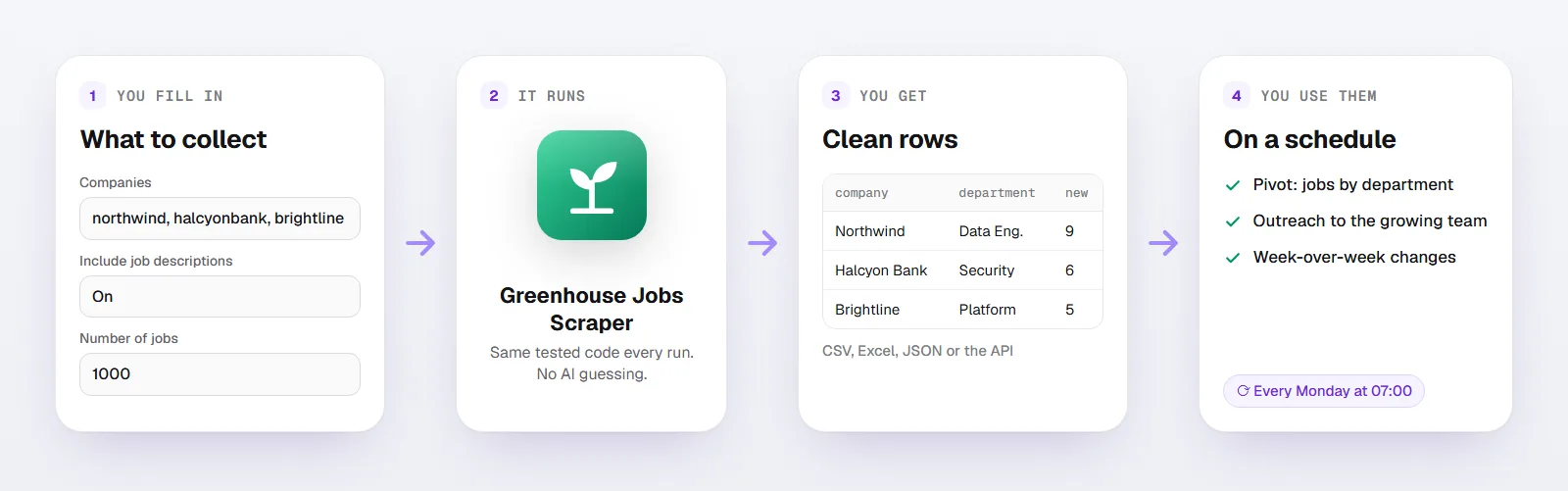
Open the scraper and fill in:
- Companies: up to 20 board names or links, like
stripeorhttps://job-boards.greenhouse.io/stripe - Include job descriptions: on, if you want to read what each team is building
- Number of jobs:
1000
You get one row per job:
| Column | What it holds |
|---|---|
company, title |
The company and the role |
departments, offices |
The teams and offices the job belongs to |
location |
Where the job is, as the company writes it |
first_published_at |
When the job was first posted |
updated_at |
When it was last changed |
url |
The job post |
description |
The full job description |
Here's what a few rows look like. The companies are made up; the columns and formats are the real ones:
company |
title |
departments |
location |
first_published_at |
|---|---|---|---|---|
| Northwind Logistics | Senior Data Engineer | Data Engineering | Chicago, IL | 2026-10-21T14:03:11-04 |
| Halcyon Bank | Security Engineer, Detection | Security | London | 2026-10-29T09:30:00-04 |
| Brightline Health | Staff Platform Engineer | Platform | Remote, US | 2026-11-02T11:12:45-05 |
Step 2: Count jobs by department
Make a pivot table with company and departments as rows and the count of job_id as values. Sort by the count within each company. That's each account's hiring plan on one screen.
Then add a column that marks new jobs, where G is first_published_at (change the letter to match your file):
=IF(TODAY() - DATEVALUE(LEFT(G2, 10)) <= 30, "new", "")
New jobs show where the plan changed recently.
What 15 careers pages show
On November 5, 2026, I pulled the Greenhouse boards of 15 well-known companies, including Stripe, Airbnb, Anthropic, Figma, Databricks, Coinbase, Datadog, Cloudflare and Reddit:
- 4,695 open jobs, and 1,488 of them (32%) were first posted in the last 30 days. A third of a careers page can be new in a month, so a list from last quarter is out of date.
- At Anthropic, Sales had the most openings: 123, ahead of AI Research & Engineering (70) and Applied AI (69). An AI lab hiring that many sellers is selling to businesses hard.
- At Datadog, Enterprise Sales led with 80, and at Cloudflare, Field Sales and Solution Engineering tied at 66 each.
- At Airbnb, Software Engineering led with 51, and half of Airbnb's 207 jobs were first posted in the last 30 days.
None of that is secret, but nobody reads 15 careers pages every week. A scheduled run does.
Step 3: Turn it into outreach
- Find the team that will buy. If you sell to data teams and an account has 12 data engineering openings, that team is growing and its manager is busy. Your first line can be about that, not about your product.
- Read the descriptions. Job posts name tools ("experience with Snowflake and dbt"), projects ("rebuild our billing platform") and urgency ("our first platform hire").
- Watch the timing. A department that went from 2 to 15 openings in a month is a better reason to write than any trigger event a sales tool will sell you.
Step 4: Run it every week
Your run is saved as a task in your account. Schedule it for Monday mornings and keep the rows. Compare this week's department counts with last week's and you'll see which accounts started hiring for the problem you solve.
LinkedIn shows hiring too, across many more companies. For that side, read Job Posts Are Buying Signals.
FAQ
How do I know if a company uses Greenhouse?
Open one of its job posts. If the address contains greenhouse.io, or the application form says "Powered by Greenhouse", it does. Many companies also embed the Greenhouse board in their own careers page; open a job and look at the address of the application form.
Is there a Greenhouse API?
Yes, Greenhouse has a public job board API, and this scraper uses it. It returns the same jobs as the careers page. You don't need a key.
Why is a description empty?
Very large boards get descriptions for the first 150 matching jobs in a run. Filter by job title or location to get descriptions for all of them.
Does it include salaries?
No. Greenhouse doesn't include pay in its public job list. When a company writes the range into the description, you'll find it there.
Good to know
- Each run takes up to 20 companies and returns up to 1,000 jobs.
- Department names are each company's own, so "Engineering" at one company can be "EPD" at another.
- Runs use your own Selextract credit.