 Steff
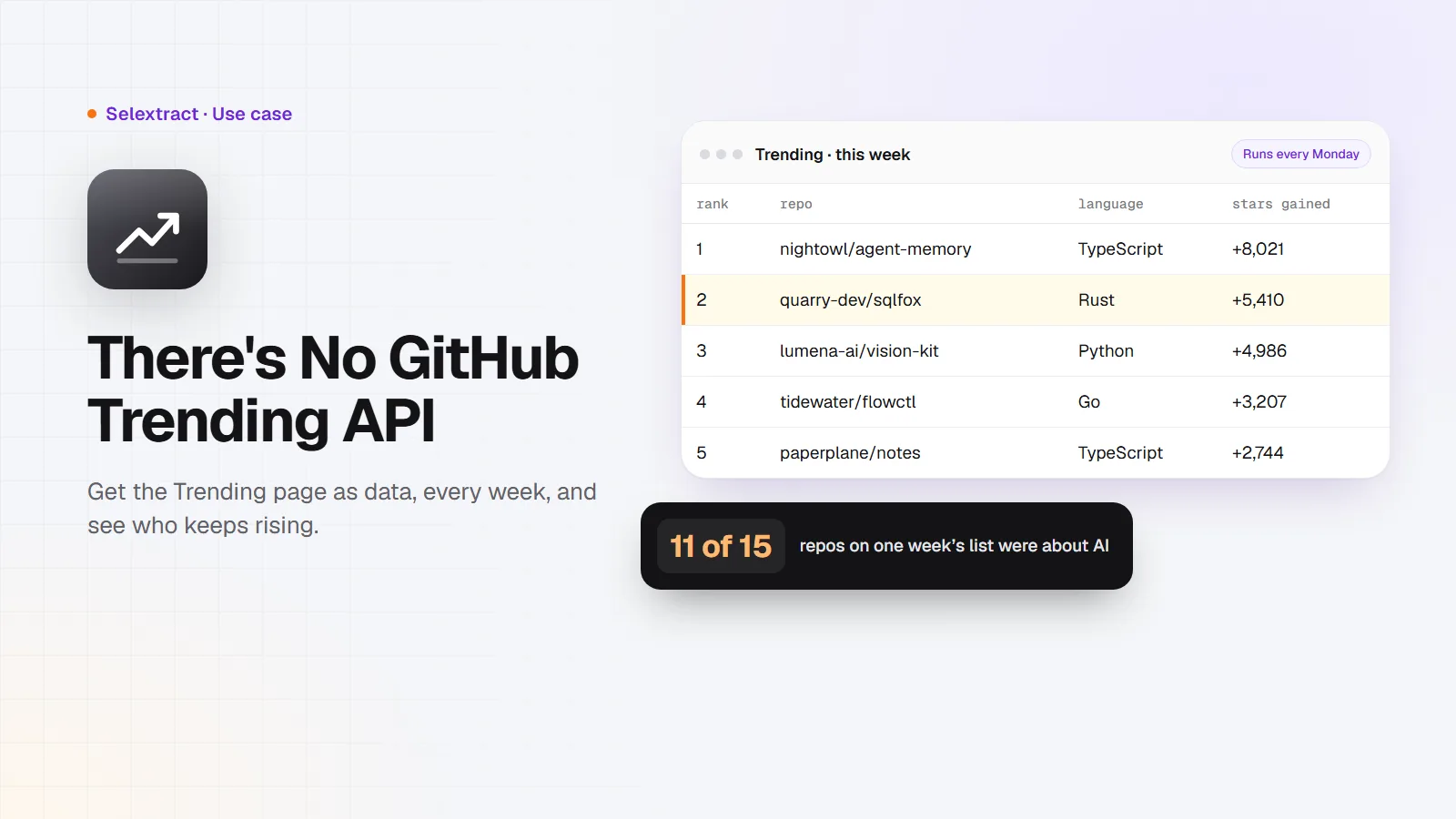
GitHub has no official API for its Trending page. The REST API can search repositories, but it can't tell you which ones are gaining stars fastest this week. If you want that list as data, to track it over time, share it with your team or put it in a newsletter, you have to read the Trending page itself. This post shows how to get it as a spreadsheet and what you can do with it.
What you need
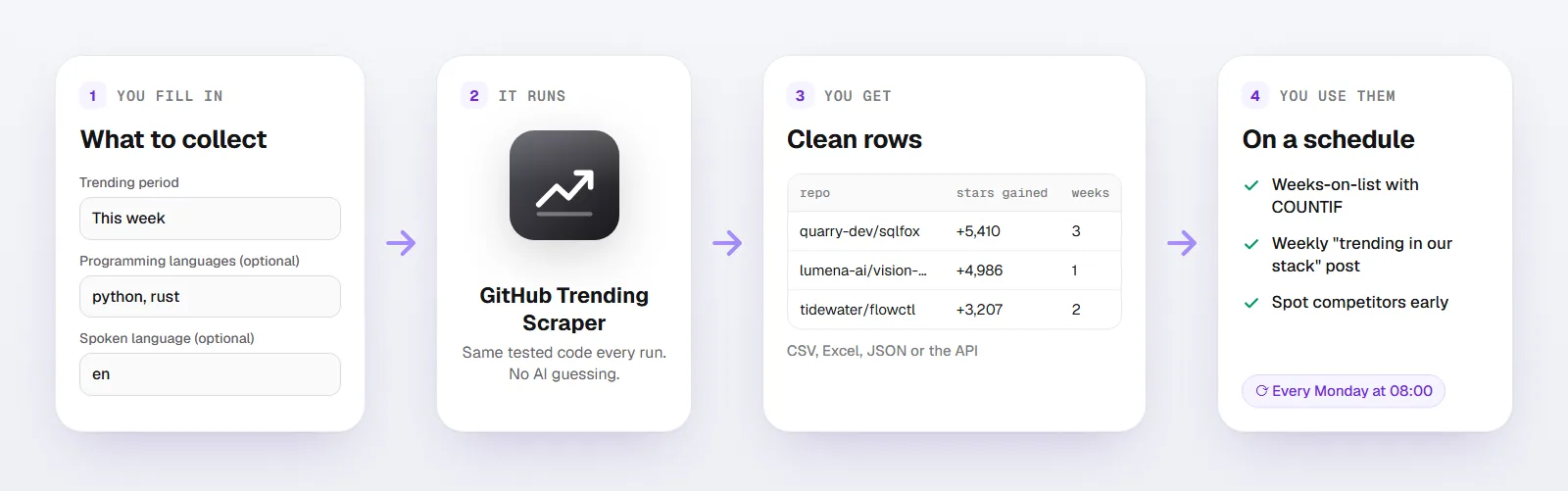
- A Selextract account. The GitHub Trending Scraper is ready-made, so there's nothing to build. Runs don't use AI; they run the same tested code every time.
- A spreadsheet: Google Sheets or Excel.
- You don't need a GitHub account or token.
Step 1: Get this week's list
Open the scraper and fill in:
- Trending period: This week
- Programming languages (optional): leave empty for the overall list, or enter up to five, like
python,typescriptorrust - Spoken language (optional): a two-letter code like
enif you only want projects written in English
You get one row per repository:
| Column | What it holds |
|---|---|
rank |
Its position on the Trending page |
repo, owner, name, url |
The repository and its link |
description |
The repository's own description |
language |
Its main programming language |
stars, forks |
Total stars and forks |
stars_in_period |
Stars gained today, this week or this month |
period, language_filter |
What you asked for |
collected_at |
When the run collected the row |
Here's what a few rows look like. The repositories are made up; the columns and formats are the real ones:
rank |
repo |
language |
stars |
stars_in_period |
period |
|---|---|---|---|---|---|
| 1 | nightowl/agent-memory | TypeScript | 21480 | 8021 | weekly |
| 2 | quarry-dev/sqlfox | Rust | 9312 | 5410 | weekly |
| 3 | lumena-ai/vision-kit | Python | 14077 | 4986 | weekly |
Download the results as CSV or Excel, or export them to Google Sheets.
What one week of trending looks like
I read the weekly Trending page on November 5, 2026:
- The overall list had 15 repositories, not 25. GitHub shows up to 25, but often fewer. Language lists vary too: Python had 17 that day.
- 11 of the 15 descriptions were about AI, mostly skills and add-ons for coding agents like Claude Code, Cursor and Codex. Two of the rest were a terminal emulator and a window manager.
- Together they gained 75,215 stars in one week. The fastest,
pingdotgg/t3code, gained 12,542. - In the Python list, 14 of 17 repositories were about AI.
If you build developer tools, that's the conversation you're competing in. If you write a newsletter, it's next week's topic.
Step 2: See who keeps rising
One week's list is a snapshot. The interesting repositories are the ones that stay on it. Your run is saved as a task in your account; give it a weekly schedule and paste each week's rows below the last.
Then count how many weeks each repository appeared, where A is the repo column:
=COUNTIF(A:A, A2)
A repository on the list for three weeks in a row has more than a lucky launch day. Compare stars_in_period across weeks to see whether it's speeding up or slowing down.
Step 3: Put it to work
- Developer tool companies: watch for new projects in your category before they get big. A fast-rising competitor, or a project you should integrate with, shows up here early.
- Developer relations and content teams: a weekly "what's trending in our ecosystem" post or Slack message practically writes itself.
- Investors and scouts: open-source traction often comes before a company. Filter by your languages and read the descriptions.
- Engineers: see what people are excited about in your stack, without scrolling through every language page.
FAQ
Is there a GitHub Trending API?
No. GitHub's REST API has no trending endpoint. The usual workaround is to search for repositories created recently and sort them by stars, but that's not the same list GitHub shows on its Trending page. This scraper reads the page itself.
How many repositories does it return?
Up to 25 per language, which is what GitHub shows, and often fewer. Ask for up to five languages in one run.
Can I get trending developers?
No, only repositories.
Does it show star history?
It shows total stars and the stars gained in the period you chose. For a history, schedule weekly runs and keep the rows, as in step 2.
Which language names work?
The ones GitHub uses in its Trending page links, written in lowercase: python, typescript, go, rust, c++, jupyter-notebook and so on.
Good to know
- Each run reads the Trending page once per language you enter.
- The list changes during the day, so runs at different times can differ slightly.
- Runs use your own Selextract credit.